Match Preview widget provides comprehensive pre-match information and statistics across multiple sports through an expandable/collapsible tabbed interface. The widget consolidates essential match context including team form, head-to-head records, lineups, league standings, season leaders, team statistics, and tournament brackets into a single organized component. It supports 16 different sports with sport-specific tab configurations and data presentations. The widget features an expandable interface that allows users to switch between collapsed (compact) and expanded (full-detail) modes, making it suitable for both space-constrained match pages and dedicated pre-match hubs.

Full-height mode displaying complete tab content with all details visible.
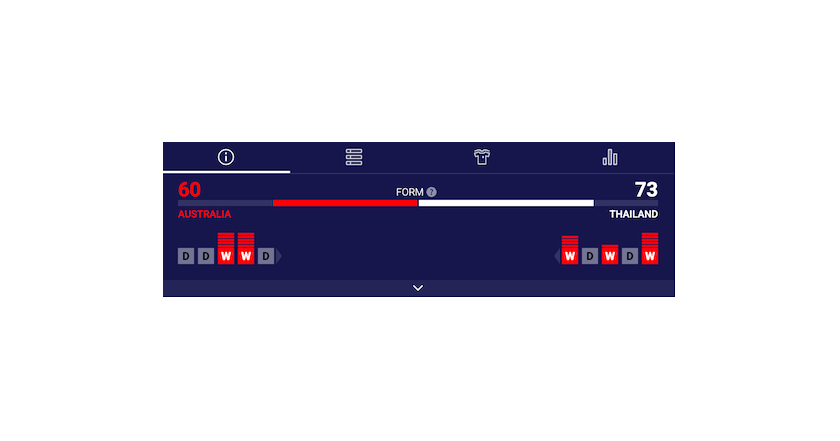
Compact mode showing selected tab content only with minimal details.
See the Match Preview widget demo.
#Supported Content and Environment
#Required Parameters
- widget-name:
match.preview - matchId: Unique identifier for the match. See Getting Identifiers
Environment Requirements
Supported Browsers
| Browser | Version | Mobile Support |
|---|---|---|
| Chrome | 60+ | ✅ Chrome Mobile 60+ |
| Firefox | 55+ | ✅ Firefox Mobile 55+ |
| Safari | 12+ | ✅ iOS Safari 12+ |
| Edge | 79+ | ✅ Edge Mobile 79+ |
| Internet Explorer | All versions | ❌ Not Supported |
Technical Requirements:
Supported Sports
The Match Preview widget supports the following sports, each with sport-specific tab configurations:
- American Football NFL only (including NCAA)
- Badminton
- Baseball & MLB
- Basketball & NBA (including NCAA)
- Beach Volleyball
- Darts
- Futsal
- Handball
- Ice Hockey & NHL
- Rugby (League & Union)
- Snooker
- Soccer
- Table Tennis
- Tennis
- Volleyball
Tab availability varies by competition and data availability. Some tournaments may not have all tabs populated.
#Main Configurable Features
Illustrations of main layout variants and tab configurations with relevant property values below.

- isCollapsed:
false
Full-height immersive experience with complete tab details. Ideal for dedicated pre-match pages.
#API Reference
| Property | Type | Default | Description |
|---|---|---|---|
matchId | number | Required | Unique identifier for the match. See Getting Identifiers |
isCollapsed | boolean | false | Initial collapse state. When true, widget displays in compact mode showing selected tab content only. When false, displays expanded mode with full details. |
disableExpandButton | boolean | false | Hides the expand/collapse toggle button in footer. When true, users cannot change collapse state after initialization. |
#Tabs Identifiers
tabs property is an object with sport IDs as keys and arrays of strings (tab identifiers) as values.
{
  1: ['matchInfo', 'standings', 'leaders', 'lineups', 'cup', 'playoffs', 'teamStats'], // soccer
  2: ['matchInfo', 'standings', 'leaders', 'lineups'
For every sport you can:
- re-order tabs by changing order of strings in array,
- disable tabs by removing specific strings from array
Invalid tab IDs are automatically filtered out.
#Example
To only display Match Info and Standings for soccer and Lineups and Match Info (different order) for basketball, the following configuration can be set:
tabs: {
  1: ['matchInfo', 'standings'], // soccer
  2: ['matchInfo', 'lineups'] // basketball
}
See Match Preview Custom Tabs Order Guide for detailed examples.
#Integration Examples
#Property Name Transformations
Properties do not always transfer from the above table directly into integration code. Properties must be transformed differently for each integration method:
JavaScript/Programmatic Integration
- Property names remain unchanged in camelCase
- Properties become members of the 4th parameter object in
SIR()call - Example:
cardVariant: "compact"
In javascript integration, the properties go into an object which is passed as the 4th argument of the call ti SIR() function. Please see Global SIR API
HTML/Declarative Integration
- Convert camelCase to lowercase with dashes, e.g. cardVariant becomes card-variant
- Add
data-sr-prefix - Example:
cardVariant→