The Team Info widget displays comprehensive team statistics and performance data for a specific season or tournament. The widget presents team information through multiple components including basic team statistics, match averages, squad averages, table position, and top scorer information. It is designed for sports betting platforms and sports information sites that need to provide detailed team insights to help users analyze team performance and make informed decisions. The widget offers granular control over which information sections are displayed, responsive layout adaptation based on available data, and configurable header options for flexible integration into various page contexts.
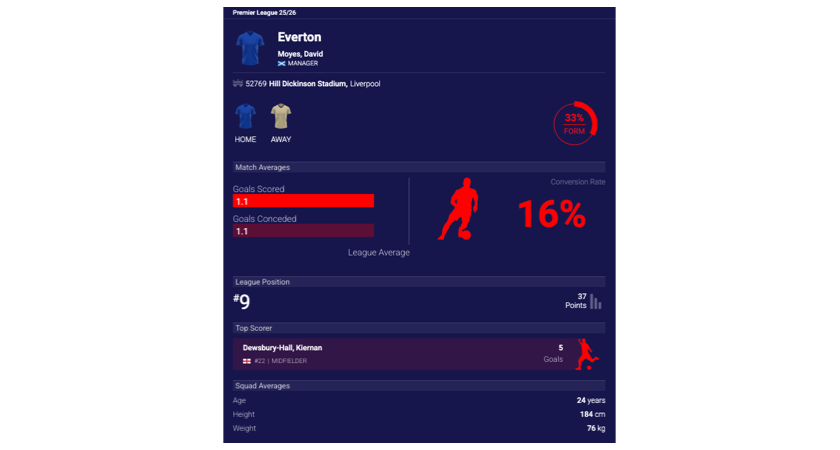
Shows the default view of the Team Info widget.
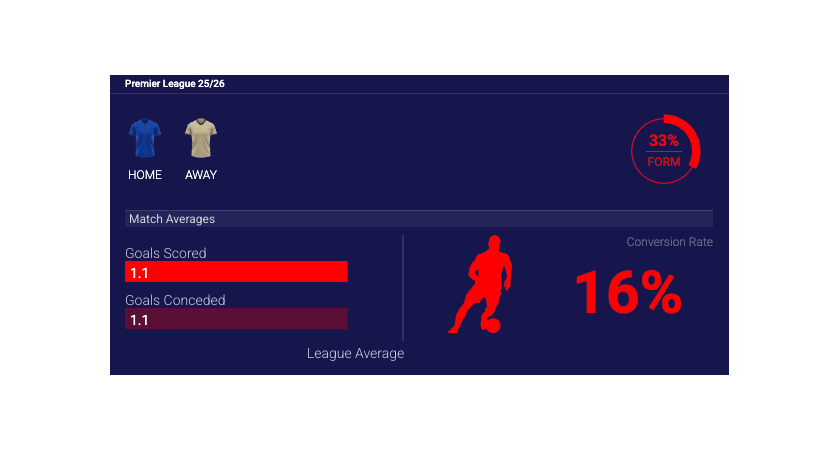
Shows the team info widget with specific sections disabled.
See the Team Info widget demo.
team.infoThe widget requires one of the following parameter combinations to function:
See Getting Identifiers for information on obtaining these values.
Environment Requirements
Supported Sports
The Team Info widget supports the following sports:
| Sport | Sport ID |
|---|---|
| Soccer | 1 |
* Conditional Requirement: One of seasonId, tournamentId, or uniqueTournamentId must be provided along with teamUid.
Illustrations of main feature variants with relevant property values below.
Properties do not always transfer from the above table directly into integration code. Properties must be transformed differently for each integration method:
SIR() callcardVariant: "compact"In javascript integration, the properties go into an object which is passed as the 4th argument of the call ti SIR() function. Please see Global SIR API
data-sr- prefixcardVariant → data-sr-card-variant| Property | Type | Required | Default | Description |
|---|---|---|---|---|
teamUid | number | Yes | undefined | Team unique identifier. See Getting Identifiers. |
seasonId | number | Conditional* | undefined | Season identifier. Use with teamUid to display team information for a specific season. See Getting Identifiers. |
tournamentId | number | Conditional* | undefined | Tournament identifier. Use with teamUid to display team information for a specific tournament. See Getting Identifiers. |
uniqueTournamentId | number | Conditional* | undefined | Unique tournament identifier. Use with teamUid to display team information for the current or most recent season of a specific unique tournament. See Getting Identifiers. |
disableWidgetHeader | boolean | No | false | When true, hides the widget header displaying the tournament and season name. When false, shows the header providing context for the displayed statistics. |
disableMatchHeader | boolean | No | false | When true, hides the team info header section displaying the team logo, name, and basic identification. When false, displays the team header. |
disableTeamInfoAverages | boolean | No | false | When true, hides both the basic team info section (recent form, win/draw/loss statistics) and the match averages section (goals scored/conceded per match). When false, displays these statistical components. |
disableScorer | boolean | No | false | When true, hides the top scorer component showing the team's leading goal scorer for the season. When false, displays the top scorer information including player name, position, and goal count. |
disableSquadAverages | boolean | No | false | When true, hides the squad averages component displaying average age and other squad-level statistics. When false, shows squad demographic and statistical averages. |
disableTeamTablePosition | boolean | No | false | When true, hides the table position component showing the team's current standing in the league table with points, wins, draws, and losses. When false, displays the table position information. |
Shows the default view of the Team Info widget.
Sample Configuration:
string|numberfilters.sport.hidden → Complex objects must be passed as JSON stringsIn HTML integration, the properties go into the parent HTML object as object properties, prefixed with data-sr- as explained above.
This method supports only simple (base) properties and does not support properties that require functions.
In all examples replace sportradar in the widgetloader URL path with your clientId.
Example if your clientId is client1:
https://widgets.sir.sportradar.com/sportradar/widgetloaderhttps://widgets.sir.sportradar.com/client1/widgetloaderInitialize the widget programmatically using the JavaScript API. The widget renders in the specified container element.
(function(a,b,c,d,e,f,g,h,i){a[e]||(i=a[e]=function(){(a[e].q=a[e].q||[]).push(arguments)},i.l=1*new Date,i.o=f,
g=b.createElement(c),h=b.getElementsByTagName(c)[0],g.async=1,g.src=d,g.setAttribute("n",e),h.parentNode.insertBefore(g,h)
)})(window,document,"script","https://widgets.sir.sportradar.com/sportradar/widgetloader","SIR", {
language: 'en'
});
SIR('addWidget', '#sr-widget', 'team.info', {
teamUid: 48,
seasonId: 130281
});<div id="sr-widget"></div>Insert the following HTML code at the target widget location. Complex object properties must be passed as JSON-encoded strings.
<div id="sr-widget"
data-sr-widget="team.info"
data-sr-team-uid="48"
data-sr-season-id="130281">
</div>
<script type="application/javascript"
src="https://widgets.sir.sportradar.com/sportradar/widgetloader"
async>
</script>