NBA Injuries widget displays a comprehensive injury report for an NBA season, listing all injured or unavailable players across league teams. The widget provides detailed information about each player's injury status, including the type of injury, expected return date, and current status. It is designed for sports platforms that need to provide up-to-date injury information for fantasy leagues, betting platforms, or general fan engagement. The widget supports two display modes (by team or by date), includes team filtering via dropdown, and offers flexible header customization for seamless integration into existing layouts.
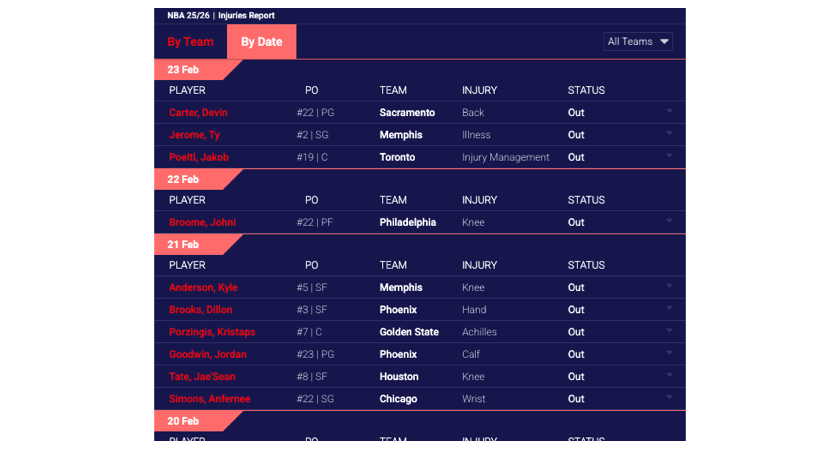
Shows the default view of the NBA Injuries widget.
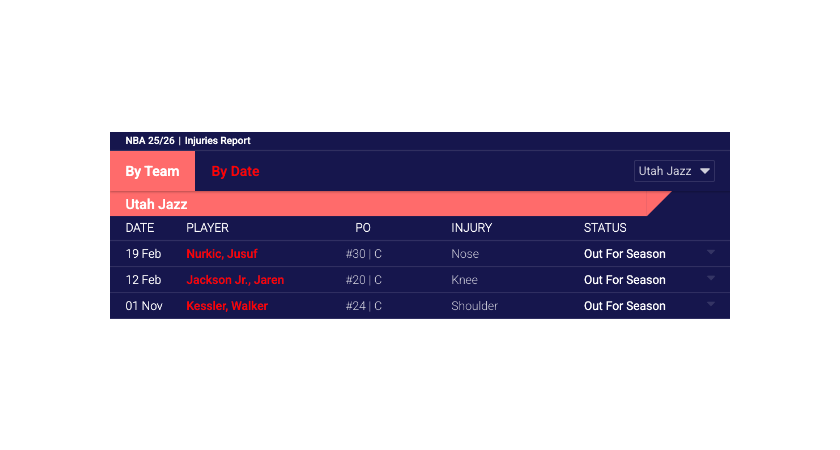
Shows the NBA Injuries widget with a team-specific table, displaying only injuries for the specified team.
See the NBA Injuries widget demo.
#API Reference
#Required Parameters
- widget-name:
season.basketball.injuries
The widget requires one of four identifiers to determine the NBA season.
Required identifiers (choose one):
- seasonId: Direct NBA season identifier
- matchId: Match ID from which season is derived
- tournamentId: Tournament identifier for the NBA
- uniqueTournamentId: NBA unique tournament identifier (recommended)
See Getting Identifiers.
Environment Requirements
Technical Requirements:
- JavaScript enabled
- XMLHttpRequest support for data fetching
- CSS3 support for styling and animations
Supported Sports
The NBA Injuries widget supports the following sports:
| Sport | Sport ID |
|---|---|
| Basketball | 2 |
warning
This widget only works with NBA. The widget includes validation that checks if the tournament is NBA and displays an error if used with other leagues: "Only NBA is supported".
* Conditional Requirement: One of matchId, seasonId, tournamentId, or uniqueTournamentId must be provided.
#Main Configurable Features
Illustrations of main feature variants with relevant property values below.
#Integration Examples
#Property Name Transformations
Properties do not always transfer from the above table directly into integration code. Properties must be transformed differently for each integration method:
JavaScript/Programmatic Integration
- Property names remain unchanged in camelCase
- Properties become members of the 4th parameter object in
SIR()call - Example:
cardVariant: "compact"
info
In javascript integration, the properties go into an object which is passed as the 4th argument of the call ti SIR() function. Please see Global SIR API
HTML/Declarative Integration
- Convert camelCase to lowercase with dashes, e.g. cardVariant becomes card-variant
- Add
data-sr-prefix - Example:
cardVariant→data-sr-card-variant