Momentum widget visualizes the flow of a match through possession, scoring, and key events, enabling users to see how control shifts between teams throughout the game. The widget displays a dynamic chart that tracks match momentum using different visualization styles, overlaid with significant match events such as goals, cards, substitutions, and other sport-specific actions. It supports multiple sports with sport-specific calculations for momentum (possession-based for soccer, score-differential for basketball, handball, rugby), chart customization options, and responsive layouts optimized for different screen sizes. The widget intelligently handles different match states including regular time, extra time, injury time, and post-match periods.
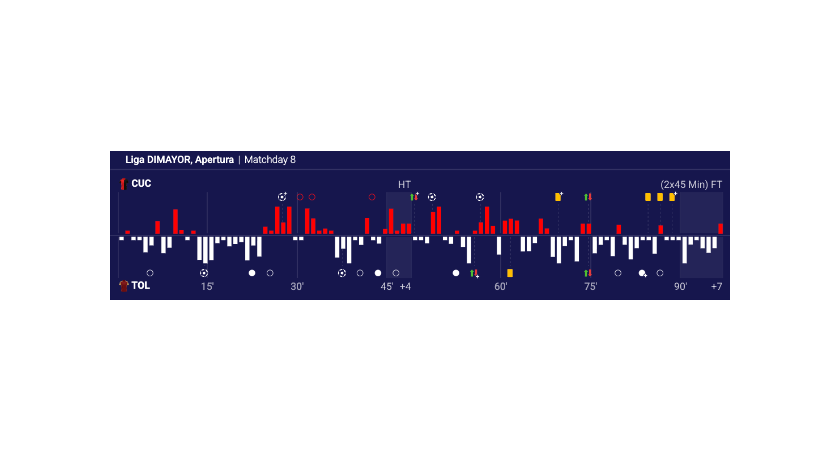
Shows the default view of the Match Momentum widget.
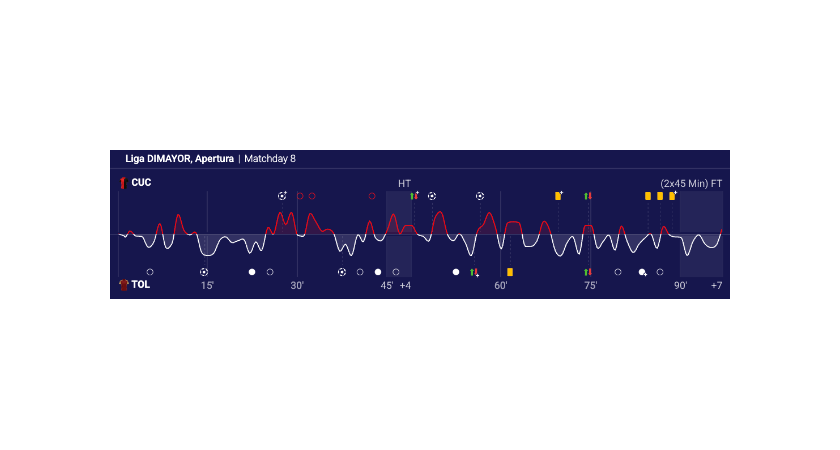
Displays the Match Momentum widget as a line chart.
See the Momentum widget demo.
#API Reference
#Required Parameters
- widget-name:
match.momentum - matchId: The unique identifier for the match is the only required parameter. See Getting Identifiers
Environment Requirements
Technical Requirements:
- JavaScript enabled
- XMLHttpRequest support for data fetching
- CSS3 support for styling and animations
Supported Sports
The Momentum widget supports the following sports:
| Sport | Sport ID |
|---|---|
| Soccer | 1 |
| Basketball | 2 |
| Esport Soccer | 137 |
| Esport Basketball | 153 |
| Esport Ice Hockey | 195 |
#Main Configurable Features
Illustrations of main feature variants with relevant property values below.
#Integration Examples
#Property Name Transformations
Properties do not always transfer from the above table directly into integration code. Properties must be transformed differently for each integration method:
JavaScript/Programmatic Integration
- Property names remain unchanged in camelCase
- Properties become members of the 4th parameter object in
SIR()call - Example:
cardVariant: "compact"
info
In javascript integration, the properties go into an object which is passed as the 4th argument of the call ti SIR() function. Please see Global SIR API
HTML/Declarative Integration
- Convert camelCase to lowercase with dashes, e.g. cardVariant becomes card-variant
- Add
data-sr-prefix - Example:
cardVariant→data-sr-card-variant