---
title: "Tournament Preview"
canonical_url: "https://apidocs.sportradar.com/resources/widgets/docs/tournament-preview/tournament-preview"
markdown_url: "https://apidocs.sportradar.com/resources/widgets/docs/tournament-preview/tournament-preview.md"
last_updated: "2026-03-26T13:44:48Z"
---
# Tournament Preview
The **Tournament Preview** widget displays comprehensive tournament information and statistics organized into multiple tabbed views. The widget provides detailed tournament data including overview statistics, team standings, top performers (leaders), match results, and team information for a specific tournament season. It is designed for sports betting platforms and sports information sites that need to present tournament data in an organized, easy-to-navigate format. The widget supports customizable tab configurations, expandable/collapsible states, and comparison between tournaments.
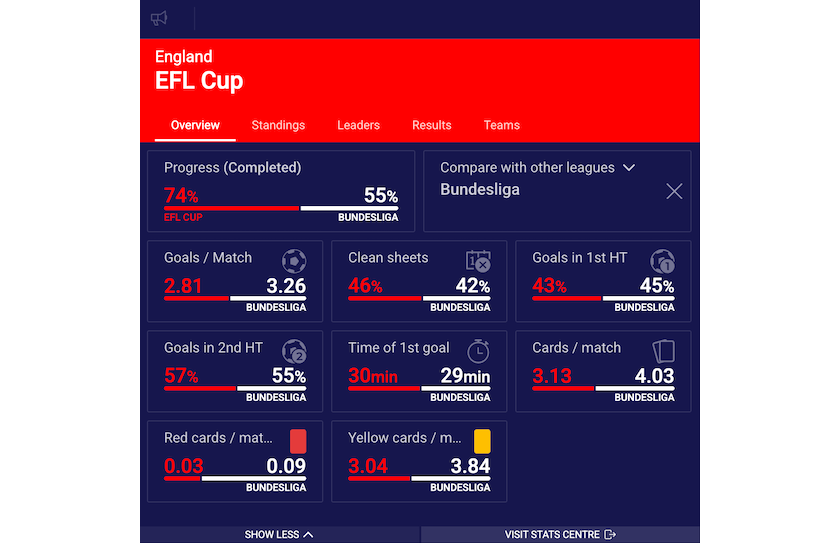
Tournament Preview Full View
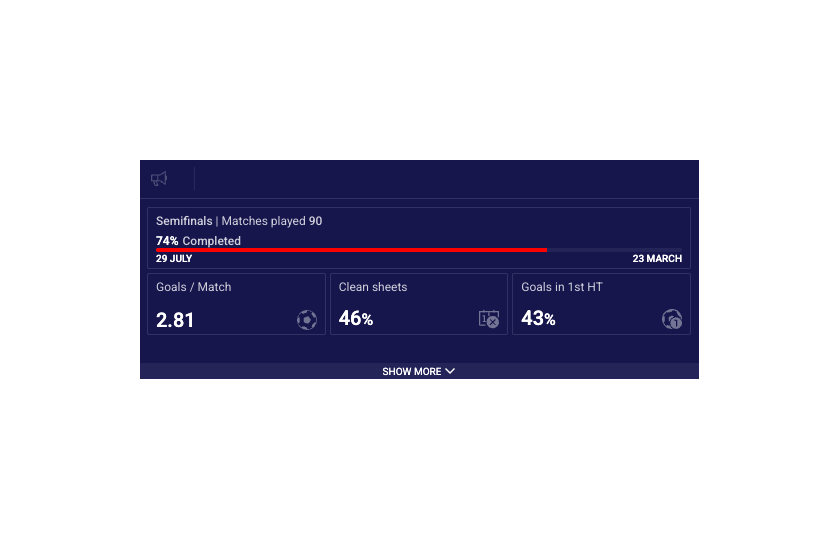
Tournament Preview Mobile View
See the [Tournament Preview widget demo](https://widgets.sir.sportradar.com/tournament-preview).
## Supported Content and Environment
### Required Parameters
- **widget-name**: `tournament.preview`
At least one of the following identifiers must be provided:
- **uniqueTournamentId**: Unique tournament identifier (recommended)
- **matchId**: Match identifier (widget derives tournament from match)
- **seasonId**: Season identifier
See [Getting Identifiers](https://apidocs.sportradar.com/resources/widgets/docs/tutorials/getting-identifiers.md) for information on obtaining these values.
**Environment Requirements**
## Technical Requirements:
- JavaScript enabled
- XMLHttpRequest support for data fetching
- CSS3 support for styling and animations
**Supported Sports**
| Sport | Sport ID |
| ------ | -------- |
| Soccer | 1 |
## Main Configurable Features
The widget offers several configuration options to customize its appearance and behavior.
**Expanded View**
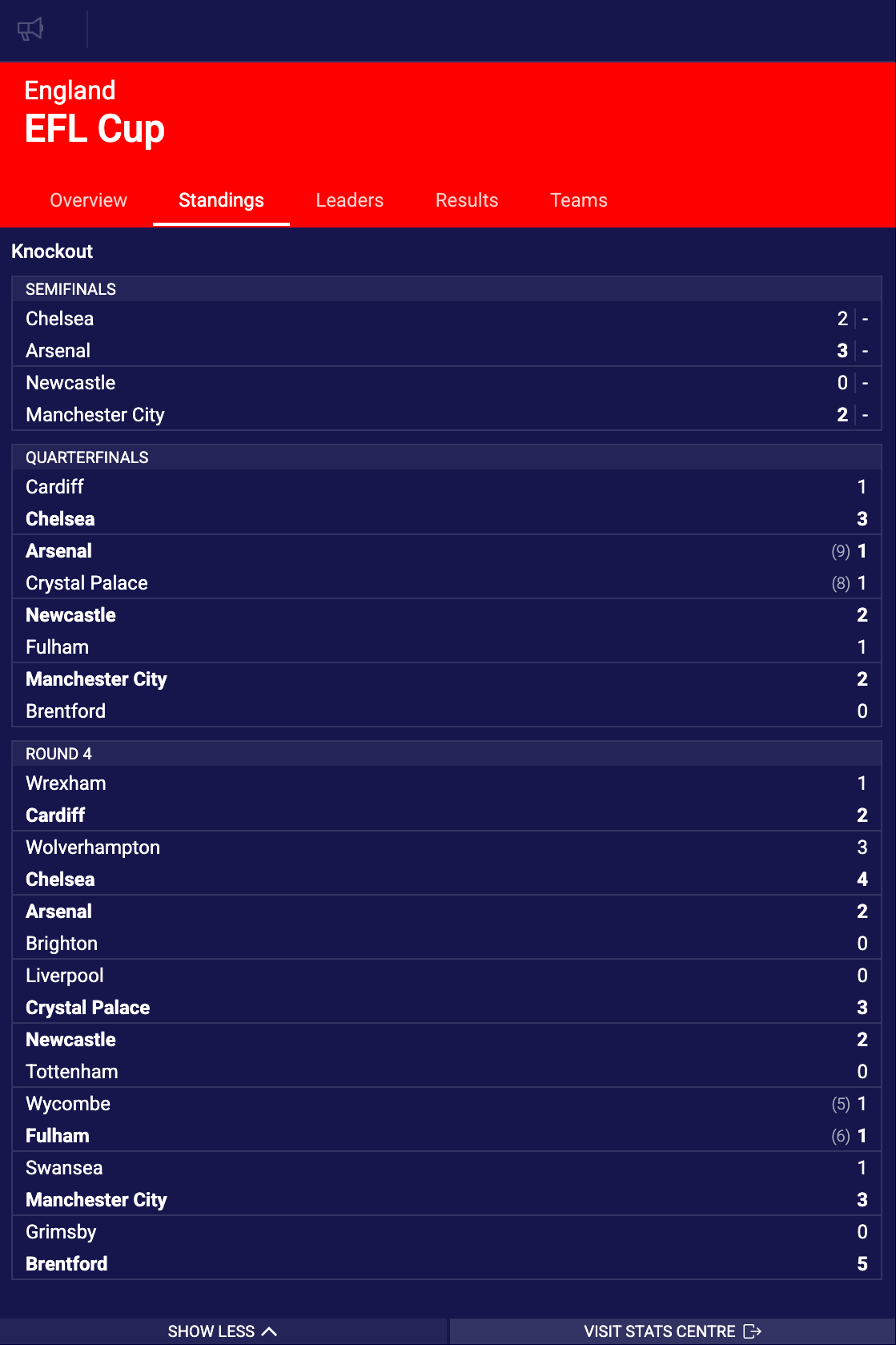
- isExpanded: `true`
The widget displays fully expanded on load, immediately showing all tournament content. When expanded widget takes as much vertical space as needed to avoid scrollbars within the widget.
**Mobile View**
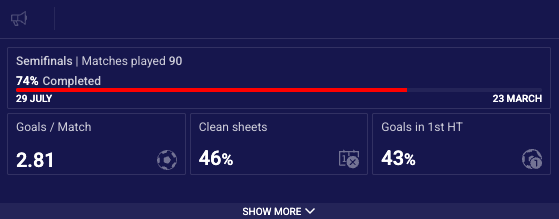
- isMobile: `true`
Mobile view hides tabs by default, only displaying them when expanded to keep as small footprint as possible.
**Custom Tab Order**
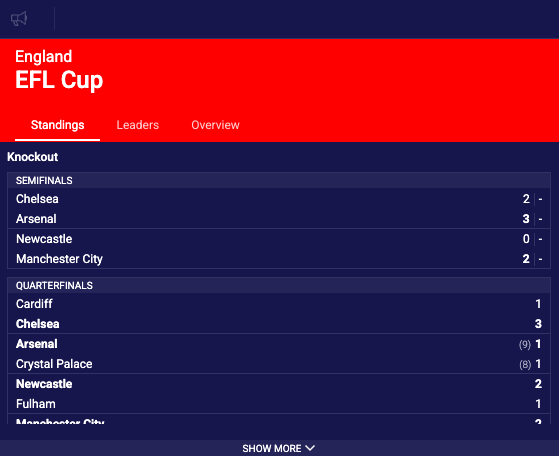
- tabs: `{ 1: ['standings', 'leaders', 'overview'] }`
Customize which tabs are shown and their display order. Remove tabs by excluding them from the array.
See [Tournament Preview widget demo](https://widgets.sir.sportradar.com/tournament-preview).
## API Reference
| Property | Type | Required | Default | Description |
| ----------------------- | ---------- | ------------- | ----------------------------------------- | --------------------------------------------------------------------------------------------------------------------------------------------------------------------------------------------------------------------------------------------------------------------------- |
| `uniqueTournamentId` | `number` | Conditional\* | `undefined` | Unique tournament identifier. Used to load tournament data directly. See [Getting Identifiers](https://apidocs.sportradar.com/resources/widgets/docs/tutorials/getting-identifiers.md) for sources. |
| `matchId` | `number` | Conditional\* | `undefined` | Match identifier. The widget derives the tournament and season from the specified match. See [Getting Identifiers](https://apidocs.sportradar.com/resources/widgets/docs/tutorials/getting-identifiers.md). |
| `seasonId` | `number` | Conditional\* | `undefined` | Season identifier for a specific tournament season. Can be used alone or with `uniqueTournamentId` to specify exact season. See [Getting Identifiers](https://apidocs.sportradar.com/resources/widgets/docs/tutorials/getting-identifiers.md). |
| `isMobile` | `boolean` | No | `false` | When `true`, activates mobile-optimized layout with adjusted spacing. Tabs are hidden in collapsed state to use a smaller footprint and show only after expanding the widget. |
| `disableEventTicker` | `boolean` | No | `false` | When `true`, removes the event ticker component that displays live events of the tournament. |
| `isExpanded` | `boolean` | No | `false` | Controls the initial display state of the widget. When `true`, the widget loads fully expanded showing tournament content. When `false`, the widget loads collapsed requiring user interaction to expand. |
| `disableCompare` | `boolean` | No | `false` | When `true`, removes the comparison functionality that allows users to compare the current tournament with another tournament side-by-side. |
| `tabs` | `object` | No | See [Tabs identifiers](#tabs-identifiers) | Configuration object defining which tabs to display and their order. |
| `disableTabs` | `boolean` | No | `false` | When `true`, completely hides the tab navigation interface. The widget displays only the default view without tab selection options. |
| `onItemClick` | `function` | No | `undefined` | Event handler callback function triggered when an event item in event ticker is clicked or touched within the widget. Receives the match identifier (`matchId`) as a parameter. Use this to integrate with bet slips, navigate to match details, or trigger custom actions. |
| `s5ClientAlias` | `string` | No | `undefined` | S5 client alias to be used for direct link to additional statistics (on S5 solution). Required for "More Stats" button to function. |
| `openMoreStatsInNewTab` | `boolean` | No | `false` | Controls how "More Stats" links behave. When `true`, opens S5 Statistics Centre pages in a new browser tab. When `false`, opens in the current tab. |
| `disableMoreStats` | `boolean` | No | `false` | When `true`, removes the "More Stats" button that links to detailed statistics on the S5 Statistics Centre. |
\* **Conditional Requirement**: At least one of `uniqueTournamentId`, `matchId`, or `seasonId` must be provided.
### Tabs Identifiers
`tabs` property is an object with sport IDs as keys and arrays of strings (tab identifiers) as values.
```javascript
{
1: ['overview', 'standings', 'leaders', 'results', 'teams'], // soccer
}
```
**Available Tabs:**
- `overview`: Tournament overview with general statistics and information
- `standings`: Current team standings/table for the tournament
- `leaders`: Top performing players across various statistical categories
- `results`: Match results and fixtures
- `teams`: Participating teams information
**Example:**
```javascript
{
tabs: {
1: ['standings', 'results', 'leaders'] // Soccer: show only 3 tabs in this order
}
}
```
See [Tournament Preview Custom Tabs Order Guide](https://apidocs.sportradar.com/resources/widgets/docs/tutorials/widget-specific/example-tournament-preview-tabs-reorder.md) for detailed examples.
> **Note**
>
> Only Soccer (sport ID: 1) is supported at this time.
## Integration Examples
### Property Name Transformations
Properties do not always transfer from the above table directly into integration code. Properties must be transformed differently for each integration method:
#### JavaScript/Programmatic Integration
- Property names remain unchanged in camelCase
- Properties become members of the 4th parameter object in `SIR()` call
- Example: `cardVariant: "compact"`
> **Info**
>
> In javascript integration, the properties go into an object which is passed as the 4th argument of the call ti `SIR()` function. Please see [Global SIR API](https://apidocs.sportradar.com/resources/widgets/docs/tutorials/SIR.md)
#### HTML/Declarative Integration
- Convert camelCase to lowercase with dashes, e.g. cardVariant becomes card-variant
- Add `data-sr-` prefix
- Example: `cardVariant` → `data-sr-card-variant`
- Example: `filters.sport.hidden` → Complex objects must be passed as JSON strings
> **Info**
>
> In HTML integration, the properties go into the parent HTML object as object properties, prefixed with `data-sr-` as explained above.
> **Only base property support**
>
> This method supports only simple (base) properties and does not support properties that require functions.
> **Info**
>
> In all examples replace `sportradar` in the widgetloader URL path with your clientId.
>
> Example if your clientId is `client1`:
>
> - This URL: `https://widgets.sir.sportradar.com/sportradar/widgetloader`
> - becomes: `https://widgets.sir.sportradar.com/client1/widgetloader`
**Expanded View**
### JavaScript (Programmatic)
Initialize the widget programmatically using the JavaScript API. The widget renders in the specified container element.
```javascript
(function(a,b,c,d,e,f,g,h,i){a[e]||(i=a[e]=function(){(a[e].q=a[e].q||[]).push(arguments)},i.l=1*new Date,i.o=f,
g=b.createElement(c),h=b.getElementsByTagName(c)[0],g.async=1,g.src=d,g.setAttribute("n",e),h.parentNode.insertBefore(g,h)
)})(window,document,"script","https://widgets.sir.sportradar.com/sportradar/widgetloader","SIR", {
language: 'en'
});
SIR('addWidget', '#sr-widget', 'tournament.preview', {
uniqueTournamentId: 21,
isExpanded: true
});
```
```html
```
### HTML (Declarative)
Insert the following HTML code at the target widget location. Complex object properties must be passed as JSON-encoded strings.
```html
```
**Mobile View**
### JavaScript (Programmatic)
Initialize the widget programmatically using the JavaScript API. The widget renders in the specified container element.
```javascript
(function(a,b,c,d,e,f,g,h,i){a[e]||(i=a[e]=function(){(a[e].q=a[e].q||[]).push(arguments)},i.l=1*new Date,i.o=f,
g=b.createElement(c),h=b.getElementsByTagName(c)[0],g.async=1,g.src=d,g.setAttribute("n",e),h.parentNode.insertBefore(g,h)
)})(window,document,"script","https://widgets.sir.sportradar.com/sportradar/widgetloader","SIR", {
language: 'en'
});
SIR('addWidget', '#sr-widget', 'match.preview', {
uniqueTournamentId: 21,
isMobile: true
});
```
```html
```
### HTML (Declarative)
Insert the following HTML code at the target widget location. Complex object properties must be passed as JSON-encoded strings.
```html
```
**Custom Tab Order**
### JavaScript (Programmatic)
Initialize the widget programmatically using the JavaScript API. The widget renders in the specified container element.
```javascript
(function(a,b,c,d,e,f,g,h,i){a[e]||(i=a[e]=function(){(a[e].q=a[e].q||[]).push(arguments)},i.l=1*new Date,i.o=f,
g=b.createElement(c),h=b.getElementsByTagName(c)[0],g.async=1,g.src=d,g.setAttribute("n",e),h.parentNode.insertBefore(g,h)
)})(window,document,"script","https://widgets.sir.sportradar.com/sportradar/widgetloader","SIR", {
language: 'en'
});
SIR('addWidget', '#sr-widget', 'match.preview', {
uniqueTournamentId: 21,
tabs: {
1: ['standings', 'leaders', 'overview'] // `1` is Sportradar soccer sport ID
}
});
```
```html
```
### HTML (Declarative)
Insert the following HTML code at the target widget location. Complex object properties must be passed as JSON-encoded strings.
```html
```
**Using match ID prop**
### JavaScript (Programmatic)
Initialize the widget programmatically using the JavaScript API. The widget renders in the specified container element.
```javascript
(function(a,b,c,d,e,f,g,h,i){a[e]||(i=a[e]=function(){(a[e].q=a[e].q||[]).push(arguments)},i.l=1*new Date,i.o=f,
g=b.createElement(c),h=b.getElementsByTagName(c)[0],g.async=1,g.src=d,g.setAttribute("n",e),h.parentNode.insertBefore(g,h)
)})(window,document,"script","https://widgets.sir.sportradar.com/sportradar/widgetloader","SIR", {
language: 'en'
});
// Use PREMATCH match ID
SIR('addWidget', '#sr-widget', 'match.preview', {
matchId: 123
});
```
```html
```
### HTML (Declarative)
Insert the following HTML code at the target widget location. Complex object properties must be passed as JSON-encoded strings.
```html
```
See [Tournament Preview widget demo](https://widgets.sir.sportradar.com/tournament-preview).
## Event Handlers
### onItemClick
The `onItemClick` event handler is triggered when an event item in event ticker is clicked or touched within the widget.
> **Note**
>
> **Important:** Callback functions (`onItemClick`) cannot be set via HTML attributes. Use JavaScript/Programmatic integration for these features.
**Function Signature:**
```javascript
function onItemClick(matchId)
```
**Parameters:**
- `matchId` (number): The identifier of the clicked match
**Use Cases:**
- Navigate to detailed match page
- Add match to betting slip
- Open match in a modal or side panel
- Track user interactions for analytics
**Example:**
```javascript
SIR('addWidget', '#sr-widget', 'tournament.preview', {
uniqueTournamentId: 21,
onItemClick: function(matchId) {
// Navigate to match detail page
window.location.href = '/matches/' + matchId;
// Or add to bet slip
// betSlip.addMatch(matchId);
// Or track analytics
// analytics.track('match_clicked', { matchId: matchId });
}
});
```
```html
```