LMT (match.lmtPlus) provides 2D top-down view match visualization across 21 sports. It delivers a consistent live experience with standard-latency data updates and broad sports coverage.
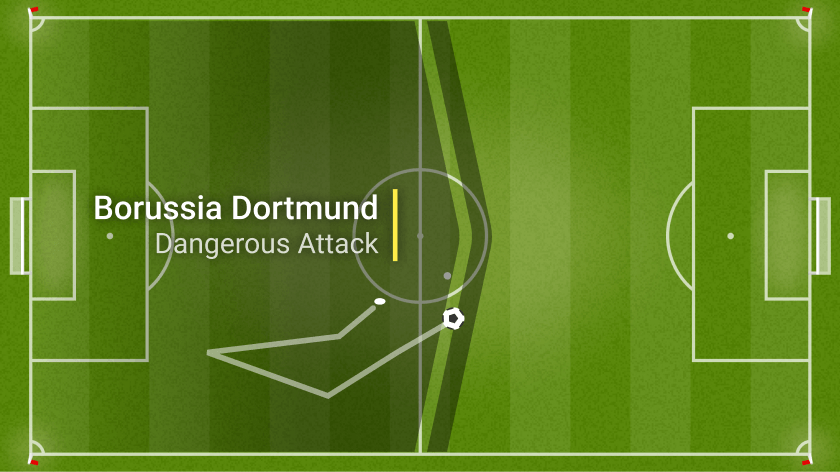
LMT Soccer
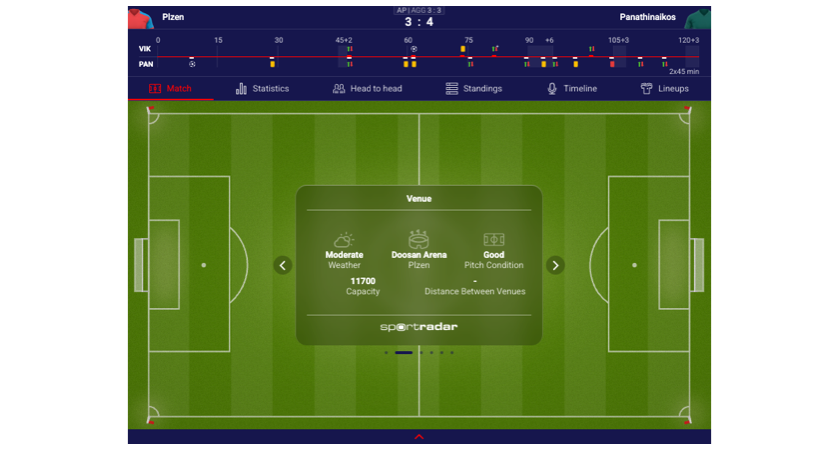
Single Layout with tabs positioned above pitch
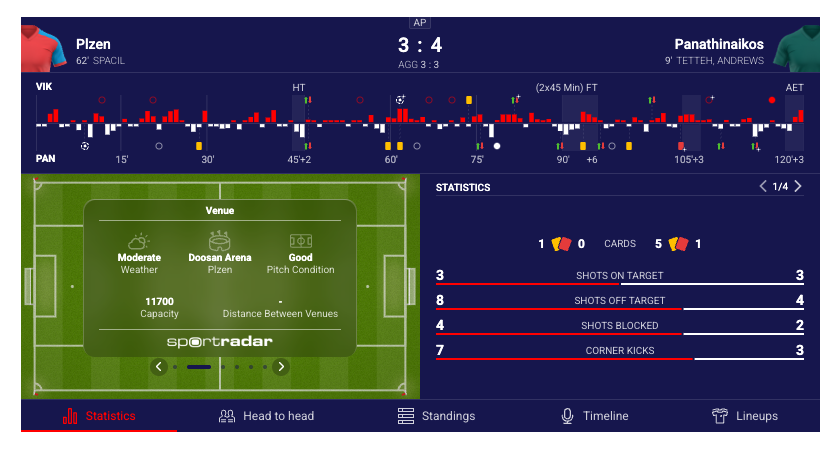
Double Layout with large jerseys and momentum with bars
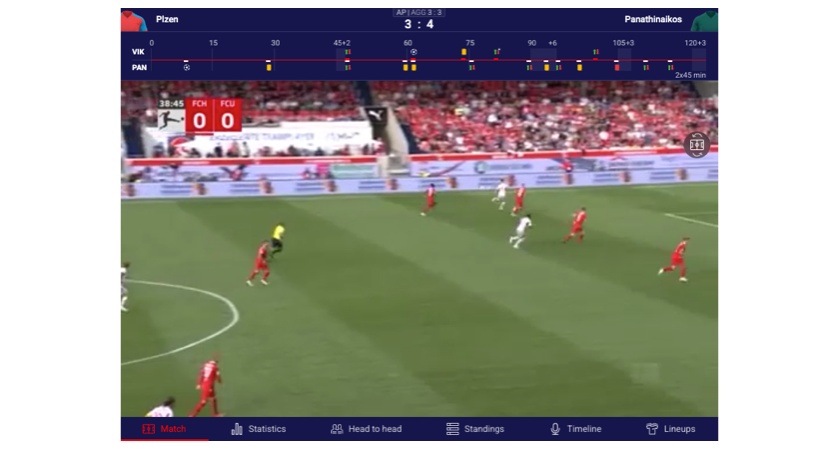
Integrated video streaming
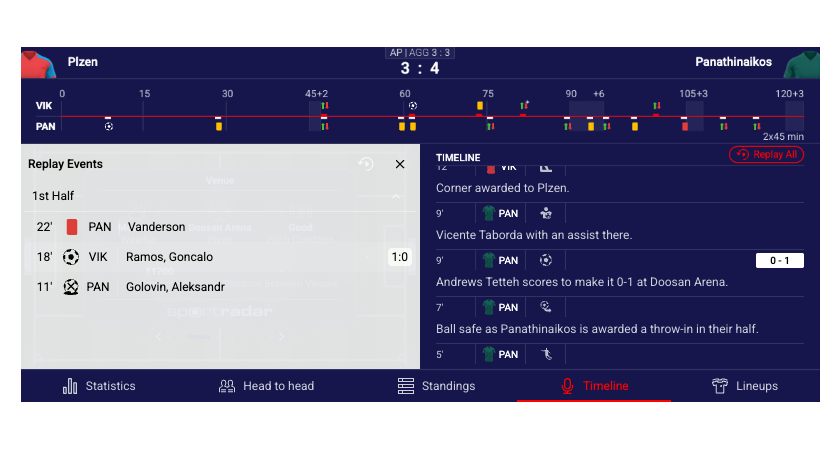
Match highlights: video replays of key match events
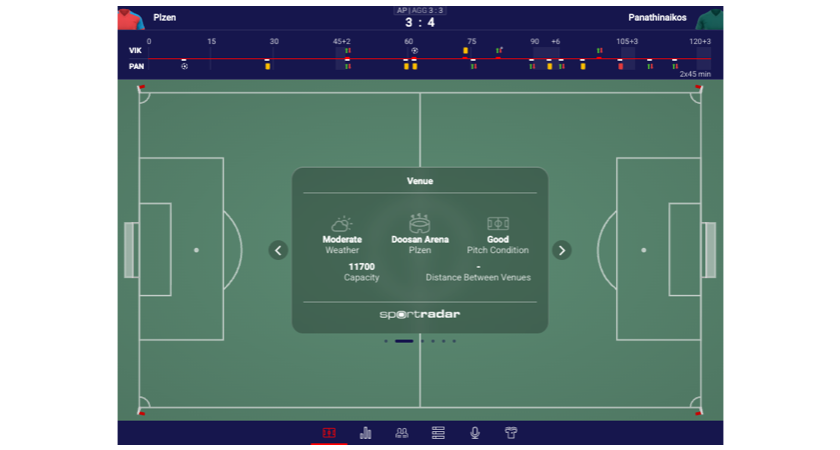
Flexible pitch customisation options
See the Live Match Tracker widget demo.
Optimize screen real estate with section collapsing.
Widget automatically adjusts at 310px, 420px, and 560px widths.
Consider layout: "single" for mobile (< 768px).
Live Match Tracker can be presented as the full version documented on this page or as a compact version (LMT Compact).
LMT Compact allows basic match action to remain visible while users scroll through the rest of content.
Illustrations of main feature variants with relevant property values below.
See the Live Match Tracker widget demo.
match.lmtPlusEnvironment Requirements
Supported Sports
The Live Match Tracker widget supports the following sports:
Configure tab appearance through the branding object passed to the widget. This controls tab display mode, alignment, icons, and styling for LMT navigation tabs.
For the full branding schema, namespace-specific overrides, and icon requirements, see Customizing Widgets. For tab IDs, CSS classes, and step-by-step examples, see Customizing Widget Tabs.
Properties do not always transfer from the above table directly into integration code. Properties must be transformed differently for each integration method:
SIR() callcardVariant: "compact"In javascript integration, the properties go into an object which is passed as the 4th argument of the call ti SIR() function. Please see Global SIR API
data-sr- prefixcardVariant → data-sr-card-varianttopdown layoutVertical stacking of all components with tabbed navigation. This layout comes with two flavors:
topdown: pitch is always visible, with additional statistical components below in a tabbed navigationsingle: only one component is visible at any timeSample Configuration:
"single" | "topdown"| Sport | Sport ID |
|---|---|
| Soccer | 1 |
| Basketball | 2 |
| Baseball | 3 |
| Ice Hockey | 4 |
| Tennis | 5 |
| Handball | 6 |
| Golf | 9 |
| Rugby | 12 |
| Football | 16 |
| Snooker | 19 |
| Table Tennis | 20 |
| Cricket | 21 |
| Darts | 22 |
| Volleyball | 23 |
| Futsal | 29 |
| Badminton | 31 |
| Beach Volley | 34 |
| Squash | 37 |
| Counter Strike | 109 |
| League Of Legends | 110 |
| Dota 2 | 111 |
| MMA | 117 |
| Esport Soccer | 137 |
| Kabaddi | 138 |
| Esport Basketball | 153 |
| Esport Ice Hockey | 195 |
| Padel | 71 |
| Property | Type | Default | Description |
|---|---|---|---|
matchId | number | Required | The unique identifier for the match. See Getting Identifiers |
disableWidgetHeader | boolean | true | When true, hides the widget header and match info |
disablePitch | boolean | false | When true, hides pitch visualization. Forces layout to "single" |
layout | string | "single" | Widget layout mode.
|
disableComponents | boolean | false | When true, hides all tab components (statistics, timeline, etc.) |
momentum | string | "compact" | Momentum visualization display.
|
momentumTab | boolean | false | When true, adds Momentum as a main navigation tab (inserted before Statistics tab - unless custom order is set with tabs prop) and hides momentum in the scoreboard header (including the header switcher).
|
scoreboard | string | "compact" | Scoreboard display variant.
|
scoreboardLargeJerseys | boolean | false | When true, displays larger team jersey graphics in scoreboard |
collapseTo | string | "disable" | Collapse target for space optimization.
|
expanded | boolean | true | Initial expand state when collapseTo is enabled. When false, widget starts in collapsed state |
tabsPosition | string | "bottom" | Position of tab navigation.
|
detailedScoreboard | string | "disable" | Scoreboard header switcher display.
|
activeSwitcher | string | "momentum" | Default active view in the scoreboard header switcher.
|
switcherOrder | array | - | Order of header switcher tabs. Example: ['momentum', 'scoreDetails'] |
ballSpottingVisibleLines | number | - | Definition for max number of ball spotting lines |
tabs | object | See LMT Tabs identifiers | Custom tab configuration per sport. Object with sport IDs as keys and arrays of tab names as values |
activeTab | string | First available tab | Tab to display on initial load. Must match a tab ID from the tabs configuration |
timelineLeftRightLayout | boolean | false | When true, uses left-right timeline layout (squash only) |
accessibilityEnabled | boolean | false | When true, web accessibility support is enabled. More information accessibility guide. |
accessibilityLiveRegionsEnabled | boolean | true | When true, live match track pitch live announcer is enabled. |
accessibilityHeadingLevel | number | 1 | Accessibility aria headings level, valid inputs are: 1, 2, 3, 4, 5, 6 |
branding | object | - | Branding options for tab appearance and widget customization. See Tabs Branding and Customizing Widgets |
| Property | Type | Default | Description |
|---|---|---|---|
disablePitchNoise | boolean | false | When true, removes noise texture from pitch surface |
disablePitchStripes | boolean | false | When true, removes grass stripes or field markings |
disablePitchOverlay | boolean | false | When true, removes an overlay that highlights the pitch by adding slight dim to the borders of the pitch |
disablePitchSpotlights | boolean | false | When true, removes spotlight effects from pitch |
pitchBgImage | string | - | Custom background image URL for pitch. Overrides default pitch surface |
pitchCustomBgColor | string | - | Custom pitch background color (hex/rgb). Example: "#1a5f3e" |
customBrandColor | string | - | Primary brand color for accents and theming (hex/rgb) |
pitchBrandBgColor | boolean | false | When true, uses customBrandColor as pitch background |
pitchLightStyle | boolean | false | When true, uses light-colored pitch theme with dark lines |
pitchLogo | string | - | URL of logo to display on pitch surface |
pitchLogoForceCenter | boolean | false | When true, positiones the pitch logo to the center of the pitch for basketball, tennis, ice hockey, handball, snooker, kabbadi, volleyball, beach volleyball and badminton. |
logo | array | - | Array of urls to branding logos, which appear in overlay carousel and in ball possession banner during live match. Accepts up to 3 images, for 3 responsive breakpoints, starting with the image for largest size.
|
logoLink | string | - | URL destination when logo is clicked |
goalBannerImage | string | - | URL to the custom goal banner image |
goalBannerCustomBgColor | string | - | Custom color of banner image on Free Throws, Goal, Corner, etc. animation events |
flashLogoOnSlide | boolean | false | When true, logo will appear for a short time on every slide change in overlay carousel. Otherwise it will only appear when slide's bottom banner doesn't have other content |
disableEventStats | boolean | false | When true, disables statistics display on event |
disablePitchTeamColors | boolean | false | When true, uses neutral colors on pitch instead of team colors |
disableAdvancedVisualisation | boolean | false | When true, disables advanced animations and visual effects on the pitch. Improves performance on lower-end devices. |
possessionOverlayTeamColored | boolean | false | When true, colours possession overlays on the pitch with team colours. |
disableFooterStats | boolean | false | When true, disables random footer statistics during live match |
| Property | Type | Default | Description |
|---|---|---|---|
jwt | string | Required | JWT authentication token for video streaming. Needs to have "av" within token scope. See JWT Authentication |
streamToggle | string | Required | Video stream toggle mode.
|
disableStreamSwitchTabsTitle | boolean | true | When true, hides title in stream switch tabs |
activeStreamToggle | string | "tracker" | Initial view when stream toggle is enabled.
|
streamMaxBitrate | number | - | Maximum bitrate for video stream in bps (bits per second) Note: Low Latency LCO Streams don't support streamMaxBitrate setting. When Low Latency LCO Streams are enabled, streamMaxBitrate is ignored.Some common values for guidance are as follows:
|
streamAutoplay | boolean | true | When true, video stream plays automatically when displayed |
streamContentVariant | string | "standard" | Video stream variant.
|
disableAugmentedStream | boolean | false | When true, disables augmented stream option even if available |
streamNotAvailableMessage | string | boolean | - | Custom message to display when stream is unavailable. If true, shows default message. Video stream will not be loaded when this value is not empty. |
streamNotAvailableBgImage | string | - | Background image URL to display when stream is unavailable. Video stream will not be loaded when this value is not empty. |
onStreamNotAvailableLogin | function | - | Callback function triggered when user clicks on unavailable stream message |
streamAllowFullscreen | boolean | false | When true, enables fullscreen button on video player. Note: this is only applicable if current device is a mobile device. |
streamMuteVideo | boolean | false | When true, starts video stream with audio muted |
streamDisableEmbet | boolean | false | When true, emBET feature is disabled |
streamBetSlipConfig | object | See emBET Configuration for more info | Configuration object for emBET content within video stream player. Note: this is only applicable if current device is a mobile device and while viewed in landscape mode. |
| Property | Type | Default | Description |
|---|---|---|---|
jwt | string | Required | JWT authentication token for video highlights. Needs to have "av" within token scope. See JWT Authentication |
streamLcp | boolean | Required | When true, enables video highlights integration |
streamLcpTimeline | boolean | false | When true, enables highlights replays in timeline events |
streamLcpMomentum | boolean | false | When true, enables highlights replays in momentum |
streamLcpNotAvailableMessage | string | boolean | - | Message to display instead of video player when highlights aren't available to the end user. When true, it will display a default "Login to watch" message. Video stream will not be loaded when this value is not empty. |
streamLcpNotAvailableBgImage | string | - | URL of the background image that is displayed when highlights aren't available. Used either in combination with streamLcpNotAvailableMessage or alone. Video stream will not be loaded when this value is not empty. |
streamLcpAutoplay | boolean | true | When true, new highlights will automatically start playing as they become available, removing the need for users to manually navigate to the highlight menu or click on the highlight notification. |
streamLcpAutoplayId | string | - | If the value resolves to an available highlight, it will immediately start playing. Value can be either a replay id (av:stream:xxx) or an event id corresponding to the highlight (sr:match_event:xxx). |
Displays both icon and text label on each tab.
Sample Configuration:
iconText (default)filters.sport.hidden → Complex objects must be passed as JSON stringsIn HTML integration, the properties go into the parent HTML object as object properties, prefixed with data-sr- as explained above.
This method supports only simple (base) properties and does not support properties that require functions.
In all examples replace sportradar in the widgetloader URL path with your clientId.
Example if your clientId is client1:
https://widgets.sir.sportradar.com/sportradar/widgetloaderhttps://widgets.sir.sportradar.com/client1/widgetloaderInitialize the widget programmatically using the JavaScript API. The widget renders in the specified container element.
(function(a,b,c,d,e,f,g,h,i){a[e]||(i=a[e]=function(){(a[e].q=a[e].q||[]).push(arguments)},i.l=1*new Date,i.o=f,
g=b.createElement(c),h=b.getElementsByTagName(c)[0],g.async=1,g.src=d,g.setAttribute("n",e),h.parentNode.insertBefore(g,h)
)})(window,document,"script","https://widgets.sir.sportradar.com/sportradar/widgetloader","SIR", {
language: 'en'
});
SIR('addWidget', '#sr-widget', 'match.lmtPlus', {
matchId: 123,
layout: 'single',
collapseTo: 'momentum',
tabsPosition: 'top'
});<div id="sr-widget"></div>Insert the following HTML code at the target widget location. Complex object properties must be passed as JSON-encoded strings.
<div id="sr-widget"
data-sr-widget="match.lmtPlus"
data-sr-match-id="123"
data-sr-layout="single"
data-sr-collapse-to="momentum"
data-sr-tabs-position="top"
>
</div>
<script type="application/javascript"
src="https://widgets.sir.sportradar.com/sportradar/widgetloader"
async>
</script>