---
title: "Central Hub"
canonical_url: "https://apidocs.sportradar.com/resources/virtual-stadium/docs/web/widgets/virtualStadium/features/centralHub"
markdown_url: "https://apidocs.sportradar.com/resources/virtual-stadium/docs/web/widgets/virtualStadium/features/centralHub.md"
last_updated: "2026-03-23T15:51:09Z"
---
# Central Hub
## Overview
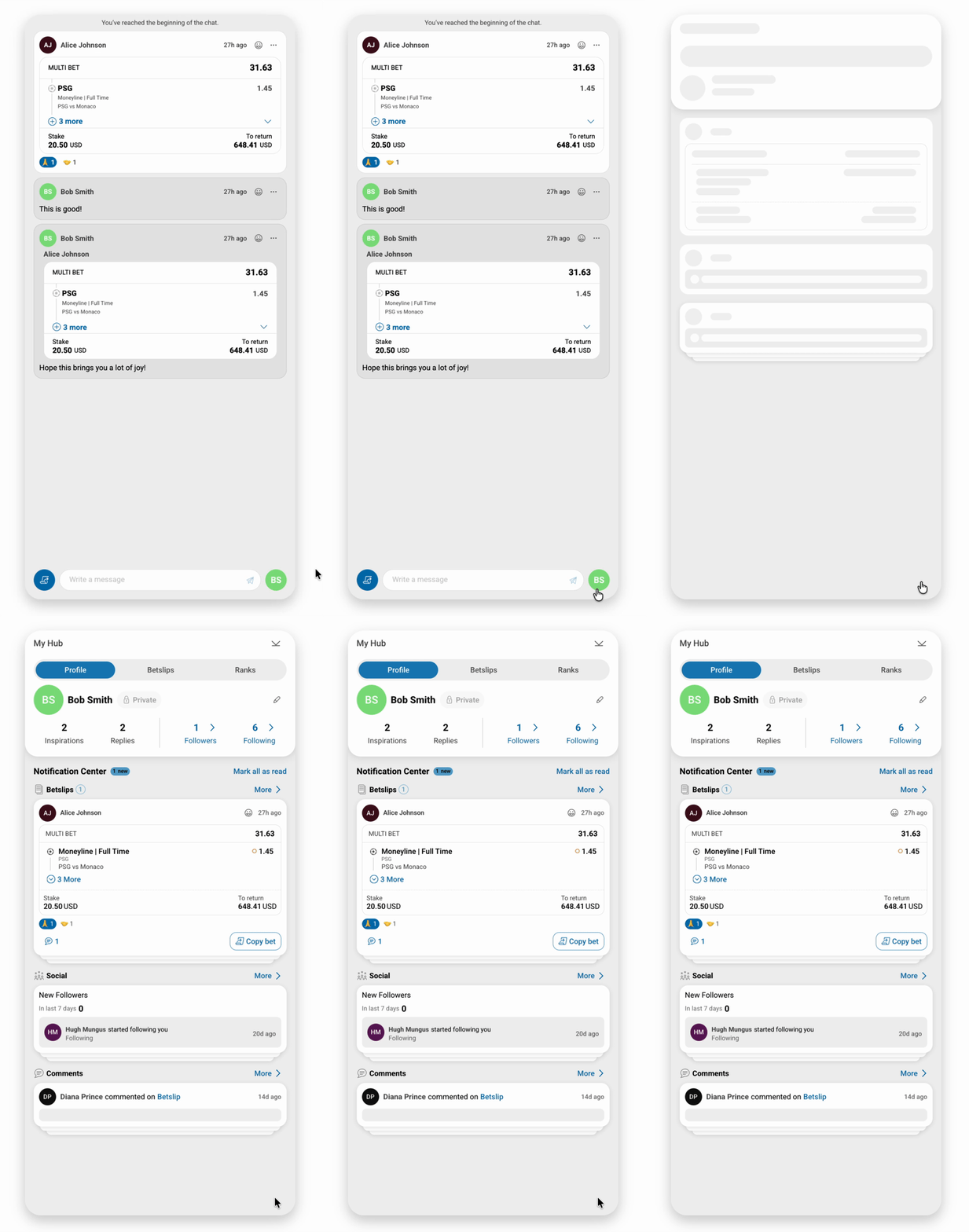
Central Hub is a comprehensive social betting feature that can be integrated directly into the Virtual Stadium widget. It enables users to:
- **Share betslips** with their followers and the community
- **Interact socially** through comments and conversations
- **Discover and copy bets** from other users
- **Manage their betting social network** (followers/following)
- **View personalized betting statistics** and activity
When enabled in Virtual Stadium, Central Hub appears as an integrated component accessible via a dedicated button, providing seamless access to social betting features without leaving the match experience.
> **Integration Options**
>
> Central Hub can be integrated in two ways:
>
> 1. **As a feature in Virtual Stadium** (this guide) — Recommended for unified match and social experience
> 2. **As a standalone widget** — See [Central Hub Widget Documentation](https://apidocs.sportradar.com/resources/virtual-stadium/docs/web/widgets/centralHub/quickStart.md)
***
## Quick Start
### Enable Central Hub
To enable Central Hub in your Virtual Stadium widget, simply set the `enableCentralHub` property to `true`:
**`enableCentralHub`** `boolean` *optional*
Enables the Central Hub widget integration within Virtual Stadium. When enabled, a Central Hub button appears in the widget interface, providing access to all social betting features.
**Default:** `false`
> **Prerequisites**
>
> - Valid JWT token with user authentication
> - Channel ID configured
> - [Bet Share](https://apidocs.sportradar.com/resources/virtual-stadium/docs/web/widgets/virtualStadium/features/betShare.md) adapter implementation
> - [Copy Bet Button](https://apidocs.sportradar.com/resources/virtual-stadium/docs/web/widgets/virtualStadium/features/copyBetButton.md) functionality
```html
Virtual Stadium with Central Hub
```
***
## Required Feature Implementations
Central Hub requires certain features to be properly implemented for full functionality. These features enable core social betting interactions.
### Mandatory Features
#### 1. Bet Share
The Bet Share feature allows users to share their betslips to the social feed where other users can view, comment on, and copy their bets.
**Implementation Required:**
- Adapter method to retrieve user betslips
- Bet data structure compliance
- Share betslip API integration
### Bet Share Implementation
[See Documentation](https://apidocs.sportradar.com/resources/virtual-stadium/docs/web/widgets/virtualStadium/features/betShare.md)

***
#### 2. Copy Bet Button
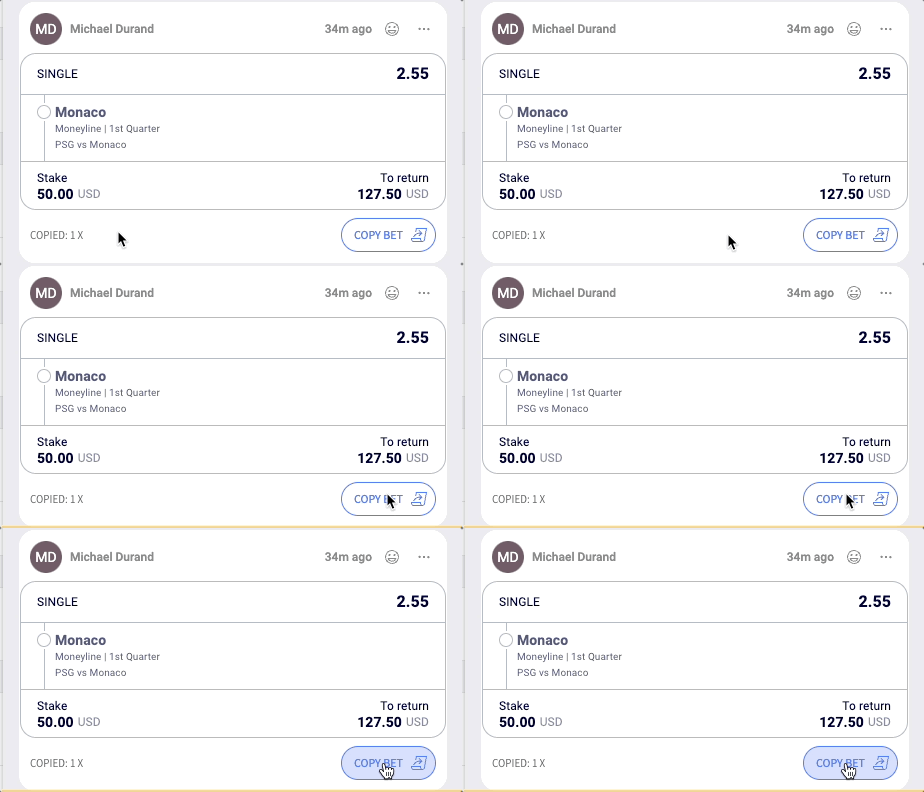
The Copy Bet Button enables users to copy betslips shared by other users directly to their own betting slip.
**Implementation Required:**
- `onAction` callback handler for copy bet events
- Bet data processing and validation
- Integration with your betting system
### Copy Bet Button Implementation
[See Documentation](https://apidocs.sportradar.com/resources/virtual-stadium/docs/web/widgets/virtualStadium/features/copyBetButton.md)
> **Important**
>
> Both Bet Share and Copy Bet Button features **must** be implemented for Central Hub to function correctly. Without these features, users will have a degraded experience.
***
## Central Hub Screens and Navigation
When Central Hub is enabled in Virtual Stadium, users can access various screens (drawers) for different social betting activities. You can programmatically control which screen opens using the `drawerState` configuration.
### Usage Example
```javascript
SIR('addWidget', '#virtual-stadium-container', 'virtualStadium', {
jwt: 'your-jwt-token',
channelId: 'your-channel-id',
enableCentralHub: true,
drawerState: {
screenName: 'centralHub',
params: {
activeTab: 'bets',
filterBy: 'followerBets'
}
}
});
```
**[Central Hub](https://apidocs.sportradar.com/resources/virtual-stadium/docs/web/widgets/centralHub/quickStart.md)**
## Available Drawer States
Drawer states allow you to programmatically control which screen is displayed when the Central Hub widget loads. Each drawer represents a specific view or functionality within the Central Hub.
> **Key Concepts**
>
> - **screenName** — Identifies which drawer/view to display
> - **params** — Optional parameters that configure the drawer's content and behavior
> - **Initial State** — Set on widget initialization to open directly to a specific view
> - **Navigation** — Users can navigate between drawers within the widget interface
> **Common Use Cases**
>
> - Deep linking to specific user profiles or shared bets
> - Opening notification screens when a user clicks a notification
> - Directing users to specific tabs based on context (e.g., opening "My Bets" after bet placement)
> - Pre-filtering content based on URL parameters or user actions
***
### Main Hub Views
#### Central Hub Home
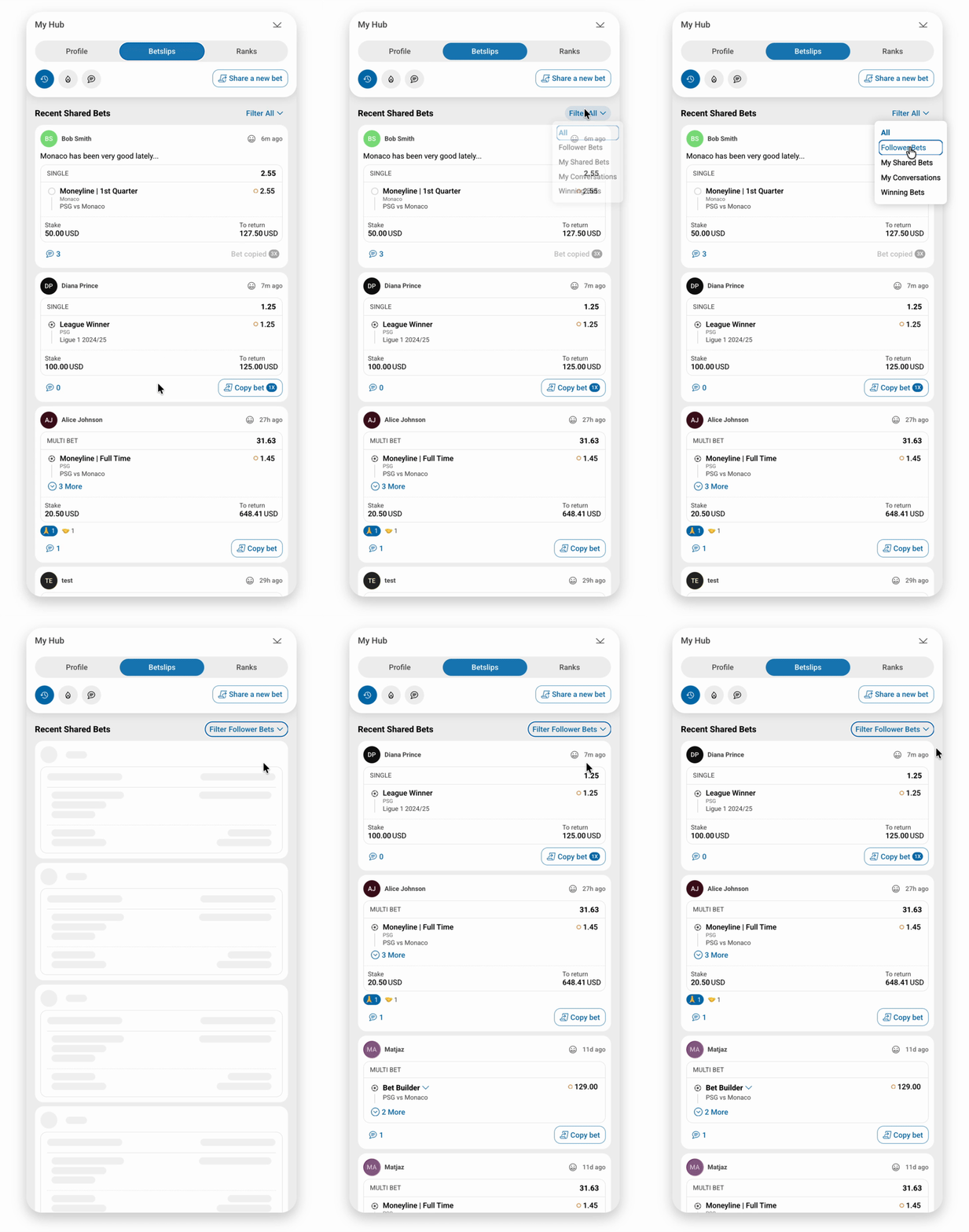
The main dashboard that serves as the home screen for the social betting experience. Users can switch between two tabs:
- **Profile Tab** — View and manage personal betting statistics, followers/following counts, and account settings
- **Bets Tab** — Browse shared bets with advanced filtering and sorting options
```javascript
drawerState: {
screenName: 'centralHub',
params:
{ activeTab: 'profile' } |
{
activeTab: 'bets',
filterBy: 'all' | 'followerBets' | 'mySharedBets' |
'myConversations' | 'winningBets',
sort: 'CREATED' | 'COMMENT_COUNT' | 'COPY_COUNT',
}
}
```
**Profile**

**Bets**
***
### Bet Sharing Screens
#### Share Betslip List
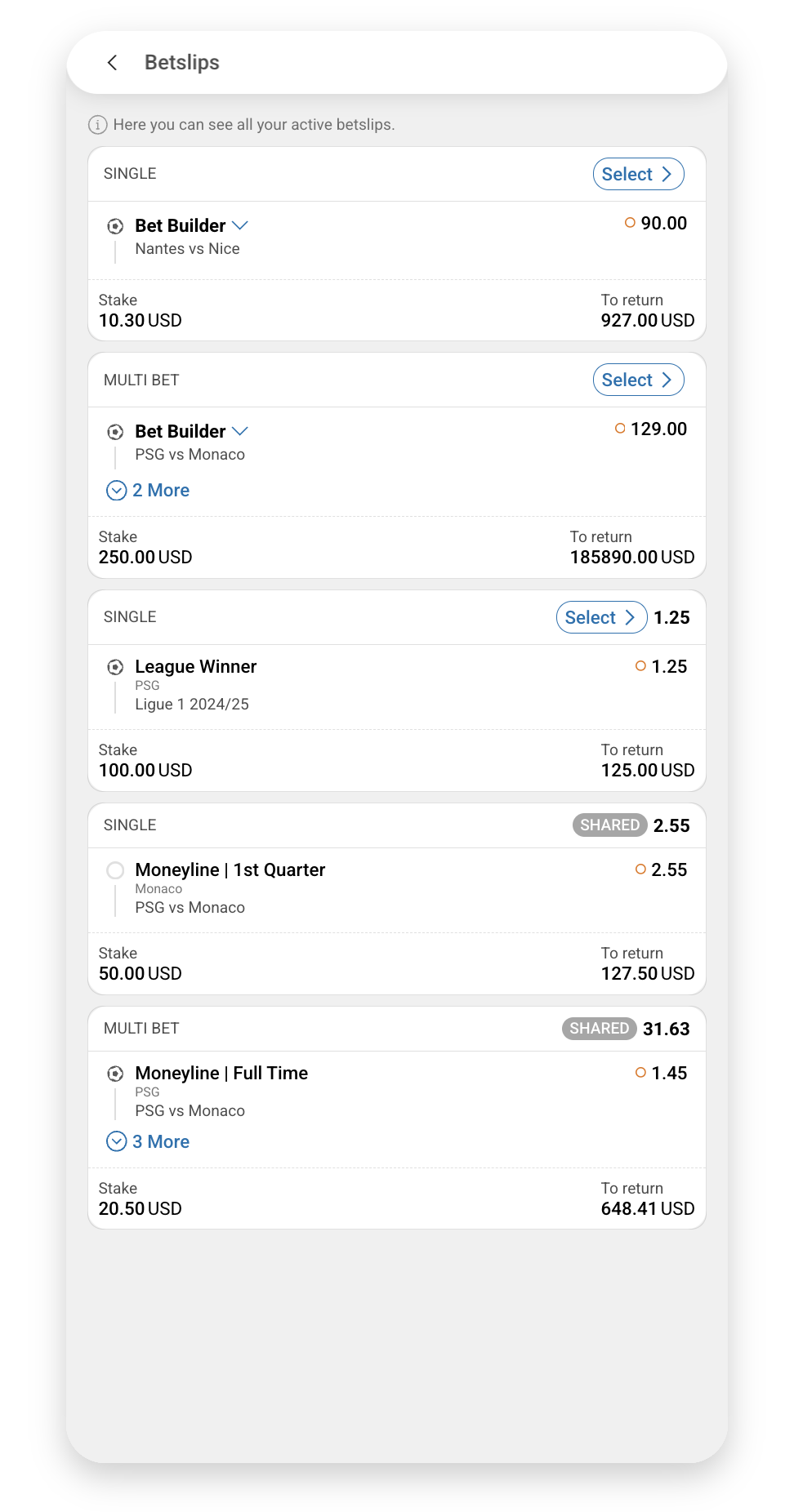
Shows a list of available betslips that can be shared to the social feed. Users can select from their active or settled betslips to share with their followers.
```javascript
drawerState: { screenName: 'shareBetslipList' }
```
***
#### Share Betslip
Opens the betslip sharing interface where users can add a caption, review the bet details, and publish it for their followers to see and potentially copy.
Requires a `betslip` parameter containing the [BetSlip](https://apidocs.sportradar.com/resources/virtual-stadium/docs/web/adapter/custom/features/betShare.md#bet-data-structure) object to be shared.
```javascript
drawerState: {
screenName: 'shareBetslip',
params: {
betslip: BetSlip
}
}
```

***
### Social Interaction Screens
#### Betslip Commenting
Opens the conversation thread for a specific shared betslip. Users can view all comments, add new comments, and engage in discussions about the bet.
Requires a `betShareId` parameter to identify which shared bet's comments to display.
```javascript
drawerState: {
screenName: 'betslipCommenting',
params: {
betShareId: 'string'
}
}
```

***
### User Management Screens
#### Users Management
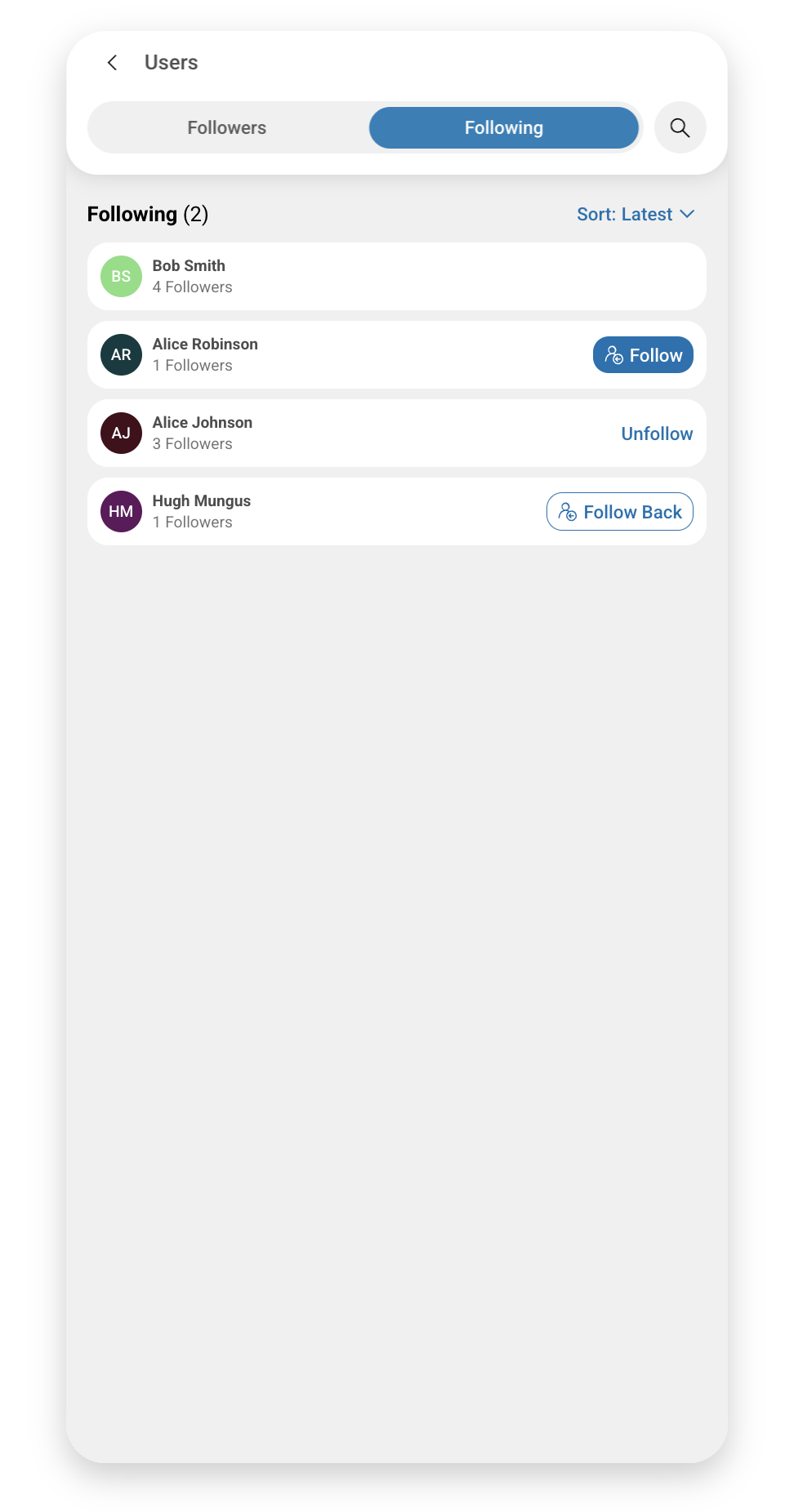
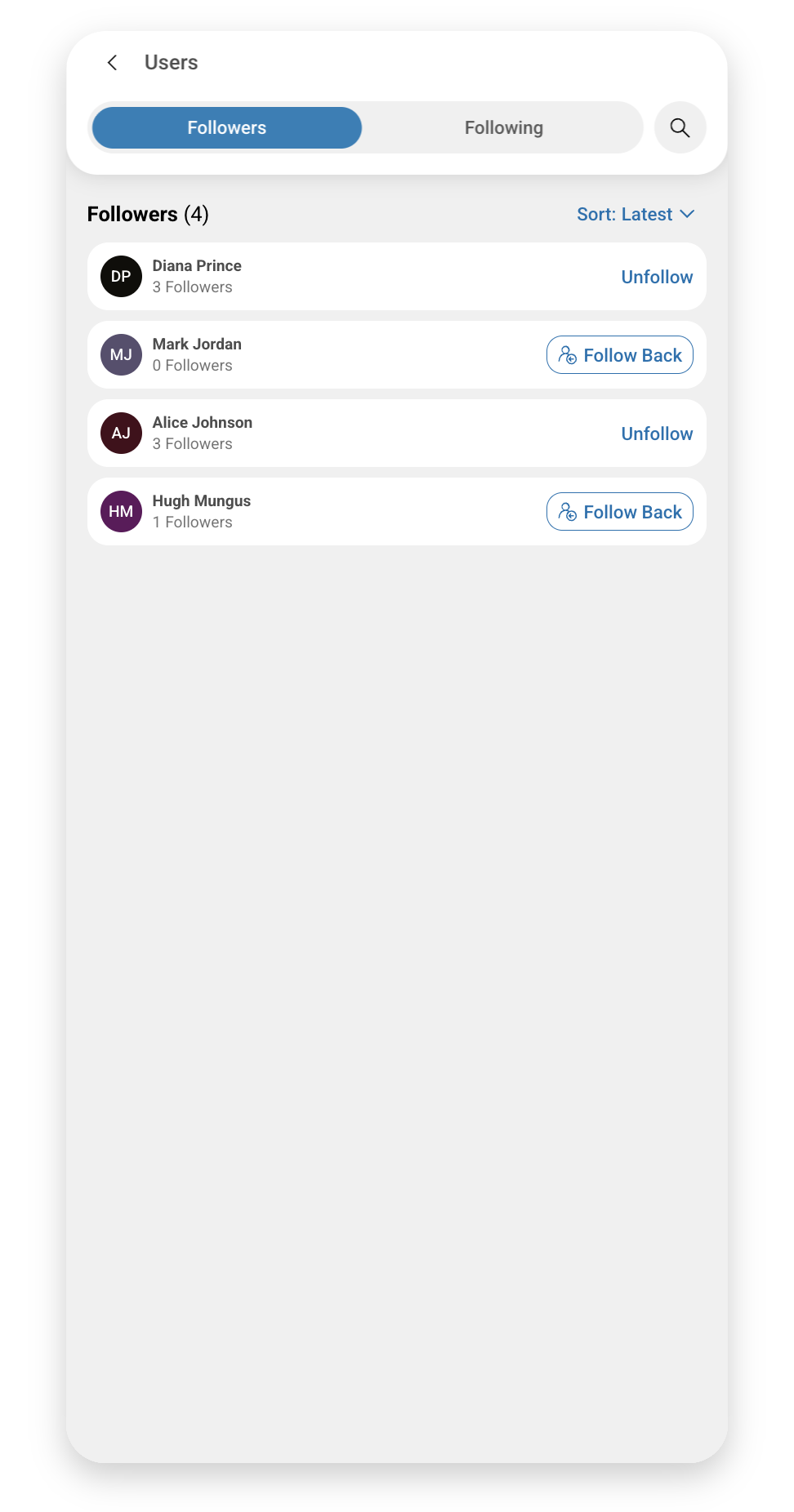
Manage user relationships and discover new users to follow. This drawer provides three tabs:
- **Following** — View all users that the current user follows
- **Followers** — See who follows the current user
- **Search** — Find and follow new users by username or display name
Requires a `userId` parameter to identify which user's relationships to display.
```javascript
drawerState: {
screenName: 'users',
params: {
activeTab: 'following' | 'followers' | 'search',
userId: 'string',
userDisplayName: 'string'
}
}
```
**Following**
**Followers**
**Search**

***
#### Other User Profile
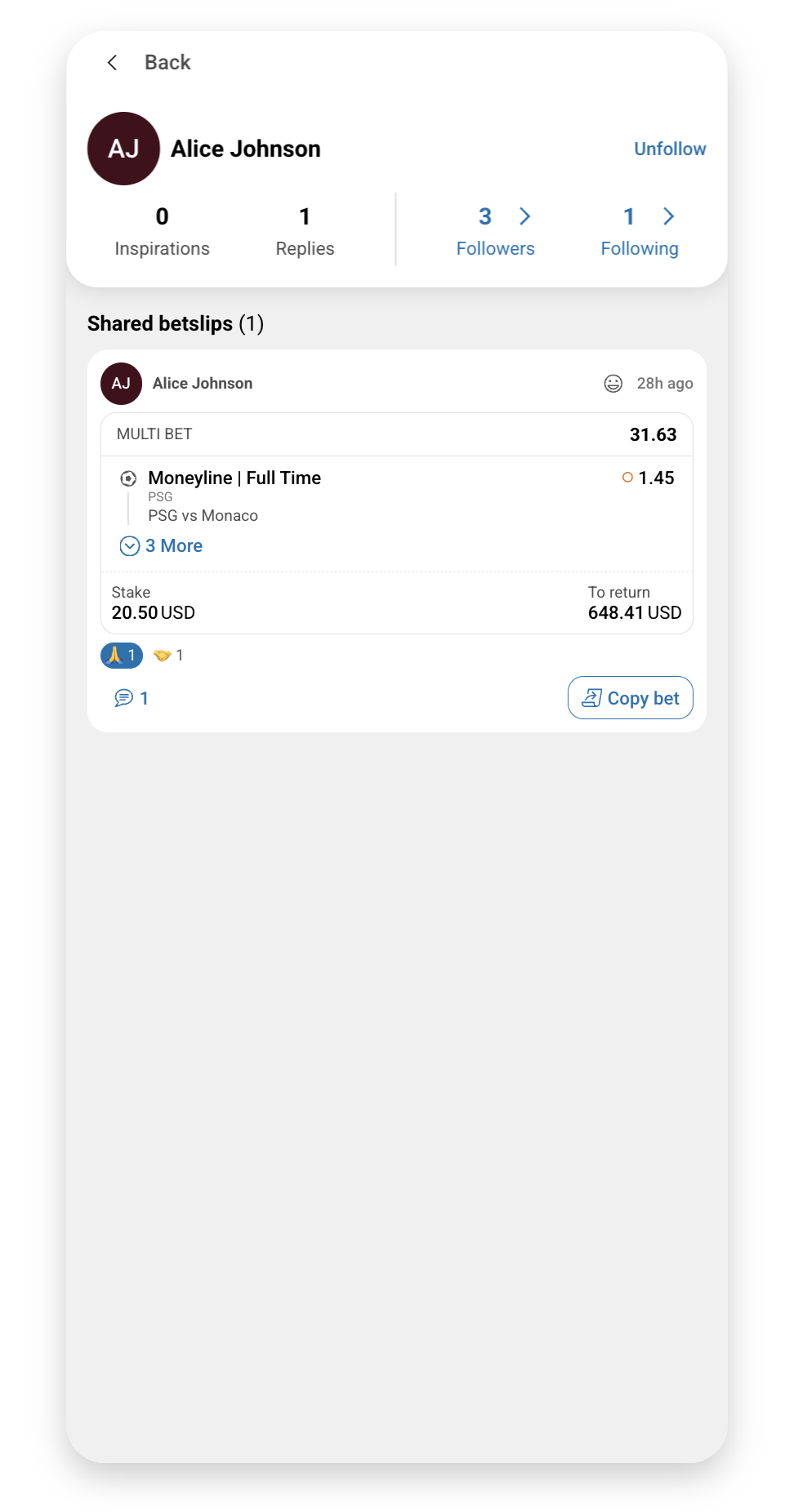
Displays a detailed profile view of another user. Shows their shared bets and provides options to follow/unfollow. Typically opened when clicking on a username from a shared bet or user list.
Requires a `userId` parameter to identify which user's profile to display.
```javascript
drawerState: {
screenName: 'otherUserProfile',
params: {
userId: 'string'
}
}
```
***
#### Edit User Profile
Allows users to modify their profile information including display name, avatar, bio, and other personal settings.
```javascript
drawerState: { screenName: 'editUserProfile' }
```

***
### Notification Screens
#### Comments Notifications
Displays all notifications related to comments on the user's shared bets — when someone comments on their bets or replies to their comments. Each notification links to the relevant betslip commenting screen.
```javascript
drawerState: { screenName: 'commentsNotifications' }
```

***
#### Betslips Notifications
Shows notifications related to betslip activity, including when users copy your bets or when followed users share new bets.
```javascript
drawerState: { screenName: 'betslipsNotifications' }
```

***
#### Socials Notifications
Displays notifications about social interactions such as new followers, follow requests, and other user relationship events.
```javascript
drawerState: { screenName: 'socialsNotifications' }
```

***
### Onboarding Screens
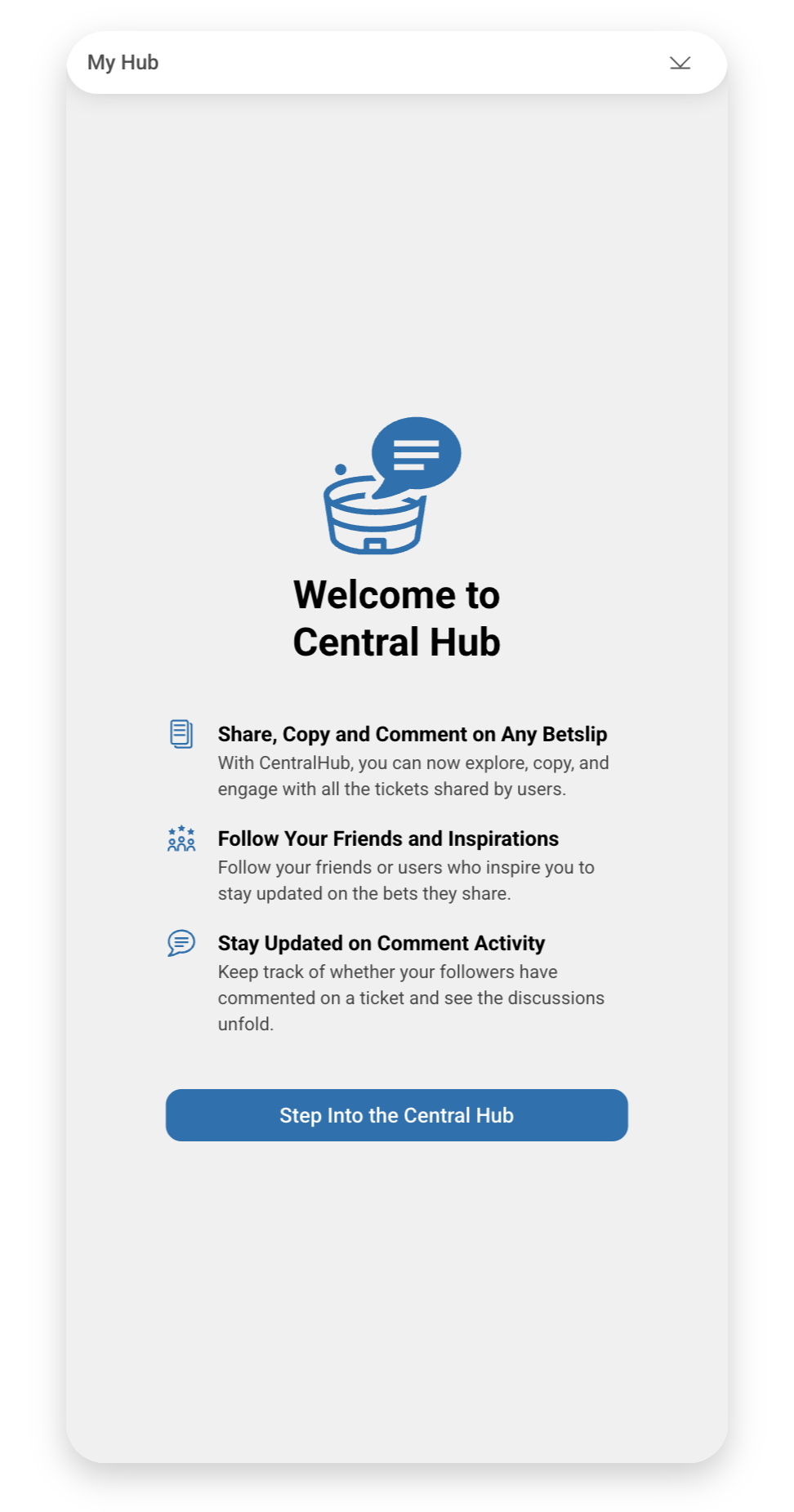
#### Central Hub First Time View
An onboarding screen shown to new users when they first access the Central Hub. Introduces key features and guides users through initial setup.
```javascript
drawerState: { screenName: 'centralHubFirstTimeView' }
```
***
#### Bets Section First Time View
An introductory screen displayed when users first navigate to the Bets tab. Explains how to browse shared bets, use filters, and engage with the betting community.
```javascript
drawerState: { screenName: 'betsSectionFirstTimeView' }
```

***
## Configuration Options
All Central Hub-specific configuration options that can be applied when integrating with Virtual Stadium.
**`bookmakerThemeVersion`** `object` *optional*
Customize the appearance of shared betslips with your bookmaker's branding.
```javascript
SIR('addWidget', '#virtual-stadium-container', 'virtualStadium', {
jwt: 'your-jwt-token',
channelId: 'your-channel-id',
enableCentralHub: true,
bookmakerThemeVersion: {
backgroundColor: '#1a1a1a',
textColor: '#ffffff',
oddNameBackgroundColor: '#333333',
oddNameTextColor: '#ffffff',
oddValueBackgroundColor: '#007bff',
oddValueTextColor: '#ffffff',
logoImage: 'https://example.com/logo.png',
hasBorder: true
}
});
```
***
**`avatarGeneratorConfiguration`** `object` *optional*
Configure how user avatars are generated based on user ID.
**Properties:**
- `saturation` (number) — Saturation value for avatar colors (0-100)
- `lightness` (number) — Lightness value for avatar colors (0-100)
- `range` (number) — Color range for avatar generation
```javascript
SIR('addWidget', '#virtual-stadium-container', 'virtualStadium', {
jwt: 'your-jwt-token',
channelId: 'your-channel-id',
enableCentralHub: true,
avatarGeneratorConfiguration: {
saturation: 0.7,
lightness: 0.5,
range: 360
}
});
```
***
**`isRelativeTimeFormat`** `boolean` *optional*
Controls time display format in Central Hub.
**Default:** `true` (shows "4m ago")
**When `false`:** Shows absolute time ("12:54")
```javascript
SIR('addWidget', '#virtual-stadium-container', 'virtualStadium', {
jwt: 'your-jwt-token',
channelId: 'your-channel-id',
enableCentralHub: true,
isRelativeTimeFormat: false // Show absolute time
});
```
***
**`dateFormat`** `'narrow' | 'short' | 'long'` *optional*
Defines the date format style used in Central Hub.
**Default:** `'narrow'`
**Recommendation:** Use `'long'` for better readability in some languages
```javascript
SIR('addWidget', '#virtual-stadium-container', 'virtualStadium', {
jwt: 'your-jwt-token',
channelId: 'your-channel-id',
enableCentralHub: true,
dateFormat: 'long'
});
```
***
## Event Tracking
Track user interactions within Central Hub using the `onTrack` callback.
**`onTrack`** `function` *optional*
Callback function for tracking Central Hub events.
**Central Hub Event Types:**
- `data_change` — Widget data updates
- `social_share` — User shares a bet
- `bet_copy` — User copies another's bet
- `comment_post` — User posts a comment
- `user_follow` — User follows another user
```javascript
SIR('addWidget', '#virtual-stadium-container', 'virtualStadium', {
jwt: 'your-jwt-token',
channelId: 'your-channel-id',
enableCentralHub: true,
onTrack: function(eventType, data) {
console.log('Central Hub Event:', eventType, data);
// Send to analytics
if (eventType === 'social_share') {
analytics.track('bet_shared', {
betslip_id: data.betslipId,
user_id: data.userId
});
}
if (eventType === 'bet_copy') {
analytics.track('bet_copied', {
original_betslip_id: data.originalBetslipId,
copied_by: data.userId
});
}
}
});
```
***
## Implementation Checklist
Follow this checklist to ensure proper Central Hub integration:
### Prerequisites
- [ ] Virtual Stadium widget already integrated
- [ ] User authentication with JWT tokens configured
- [ ] Channel ID obtained from moderation tool
### Required Feature Implementations
- [ ] **Bet Share** — Users can share betslips to the social feed
- [ ] Adapter method to retrieve user betslips
- [ ] Bet data structure properly formatted
- [ ] Share betslip API integration complete
- [ ] **Copy Bet Button** — Users can copy shared betslips
- [ ] `onAction` callback handler implemented
- [ ] Bet data validation in place
- [ ] Integration with betting system complete
### Configuration
- [ ] Set `enableCentralHub: true` in widget configuration
- [ ] Configure `bookmakerThemeVersion` for branding (optional)
- [ ] Configure `avatarGeneratorConfiguration` (optional)
- [ ] Set up `onTrack` callback for analytics (optional)
- [ ] Configure `drawerState` for deep linking (optional)
### Testing
- [ ] Test bet sharing functionality
- [ ] Test bet copying functionality
- [ ] Test user following/followers features
- [ ] Test commenting on shared bets
- [ ] Test notifications
- [ ] Test profile editing
- [ ] Verify proper error handling
***
## Next Steps
### Bet Share Implementation Guide
Learn how to implement the adapter methods required for users to share their betslips to the Central Hub social feed.
[Start with](https://apidocs.sportradar.com/resources/virtual-stadium/docs/web/widgets/adapter/custom/features/betShare.md)
### Copy Bet Button Guide
Set up the functionality that allows users to copy betslips shared by other users in Central Hub.
[Then implement](https://apidocs.sportradar.com/resources/virtual-stadium/docs/web/widgets/virtualStadium/features/copyBetButton.md)
***
## Troubleshooting
### Common Issues
**Central Hub button not appearing:**
- Verify `enableCentralHub: true` is set
- Ensure valid JWT token is provided (not API key)
- Check browser console for errors
**Bet sharing not working:**
- Verify Bet Share adapter implementation is complete
- Check that bet data structure matches required format
- Ensure JWT token has appropriate permissions
**Copy bet functionality not working:**
- Verify `onAction` callback is implemented
- Check that Copy Bet Button feature is enabled
- Verify bet data validation logic
**Users cannot see shared bets:**
- Verify channel configuration
- Check that users are following each other (for follower bets)
- Ensure bets are being shared successfully
***
## Support
Need help with Central Hub integration?
### Central Hub Standalone Widget Documentation
[Reference](https://apidocs.sportradar.com/resources/virtual-stadium/docs/web/widgets/centralHub/quickStart.md)
For technical support, contact your Sportradar integration specialist or refer to the main Virtual Stadium documentation.